






Google Maps lead generation is the process of finding local businesses through Google Maps, evaluating which ones are actually worth contacting, and reaching out to them with a pitch relevant to what you found. Roughly one in five local searches now start directly inside Google Maps, which means the businesses your agency wants as clients are already there, findable in minutes. The hard part was never finding them — it’s knowing who to prioritize and what to say.
Why a Raw Scrape Isn’t a Pipeline
A spreadsheet of names, phone numbers, and websites feels like progress, but every row still needs someone to check the site, guess at a problem, write an opener, and remember to follow up. For an agency working hundreds of leads a month, that manual middle step is where deals quietly die. This is the workflow that closes that gap — four stages, each with its own deep-dive if you want the full detail.
New to scraping itself? Start with What is a Google Maps Scraper? and our comparison of the 5 best Google Maps scrapers.
The Workflow at a Glance
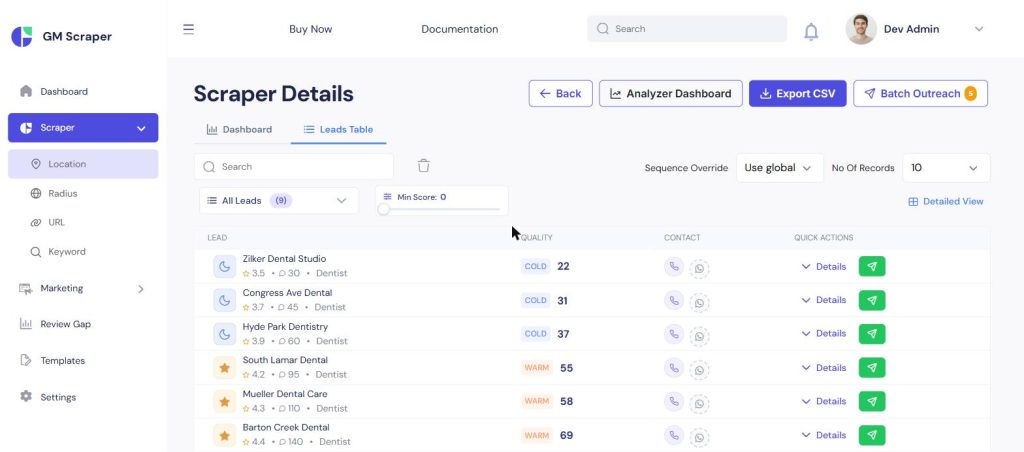
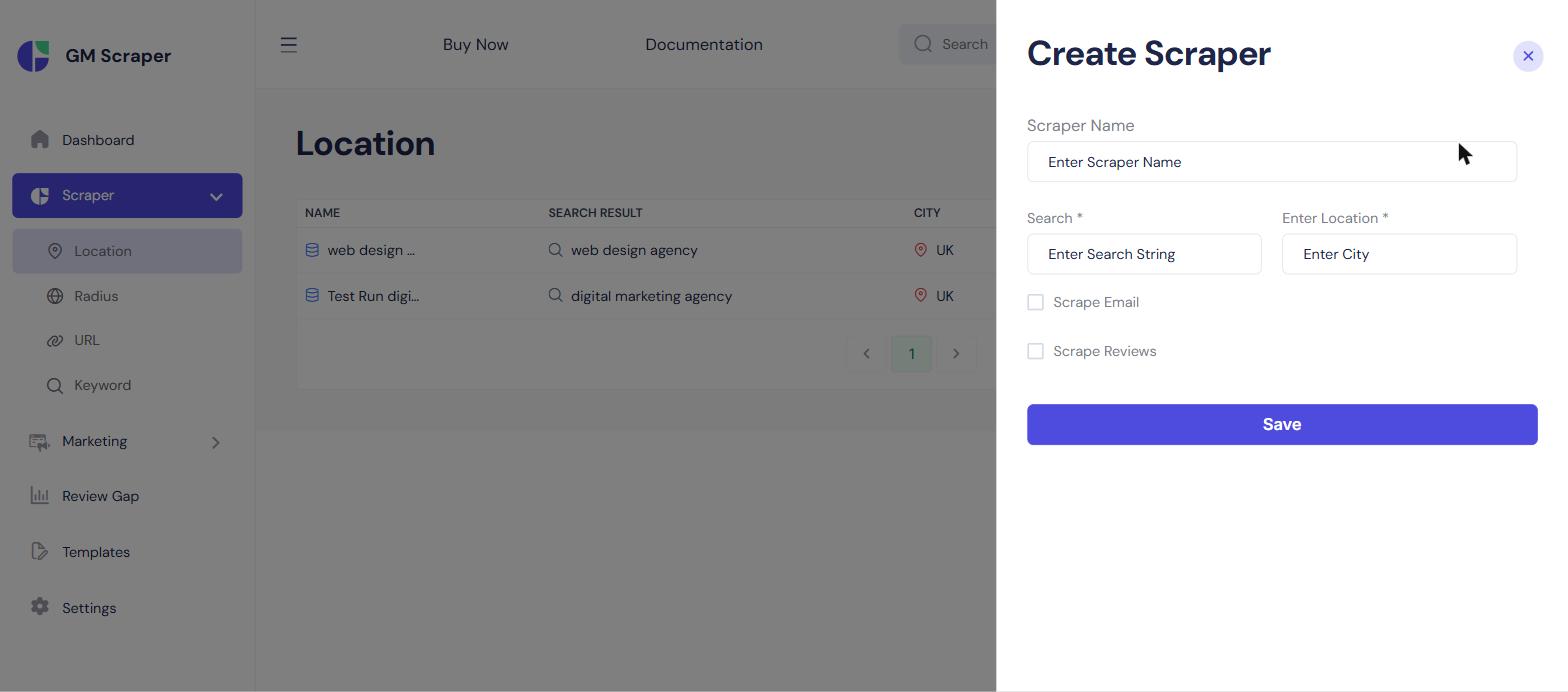
Step 1 — Scrape the Right Businesses
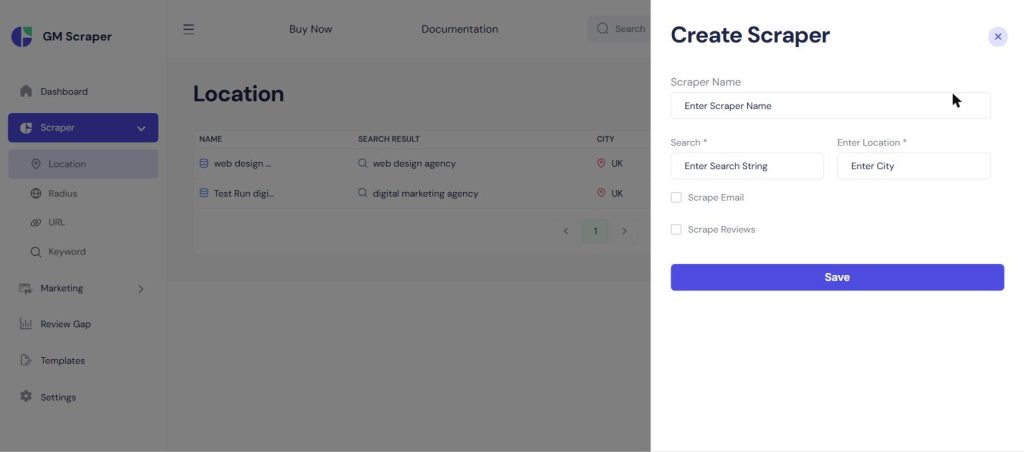
Start narrow — a location search (“dentist” + “Austin, TX”) beats a vague national pull every time. Four modes are available: location search, a radius pin, a direct Maps link, or a batch keyword list.
Step 2 — Score and Qualify Automatically
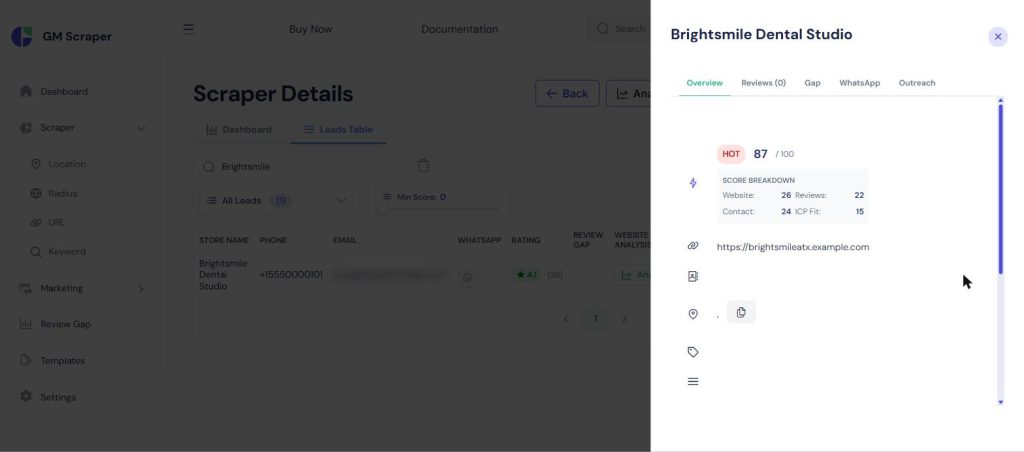
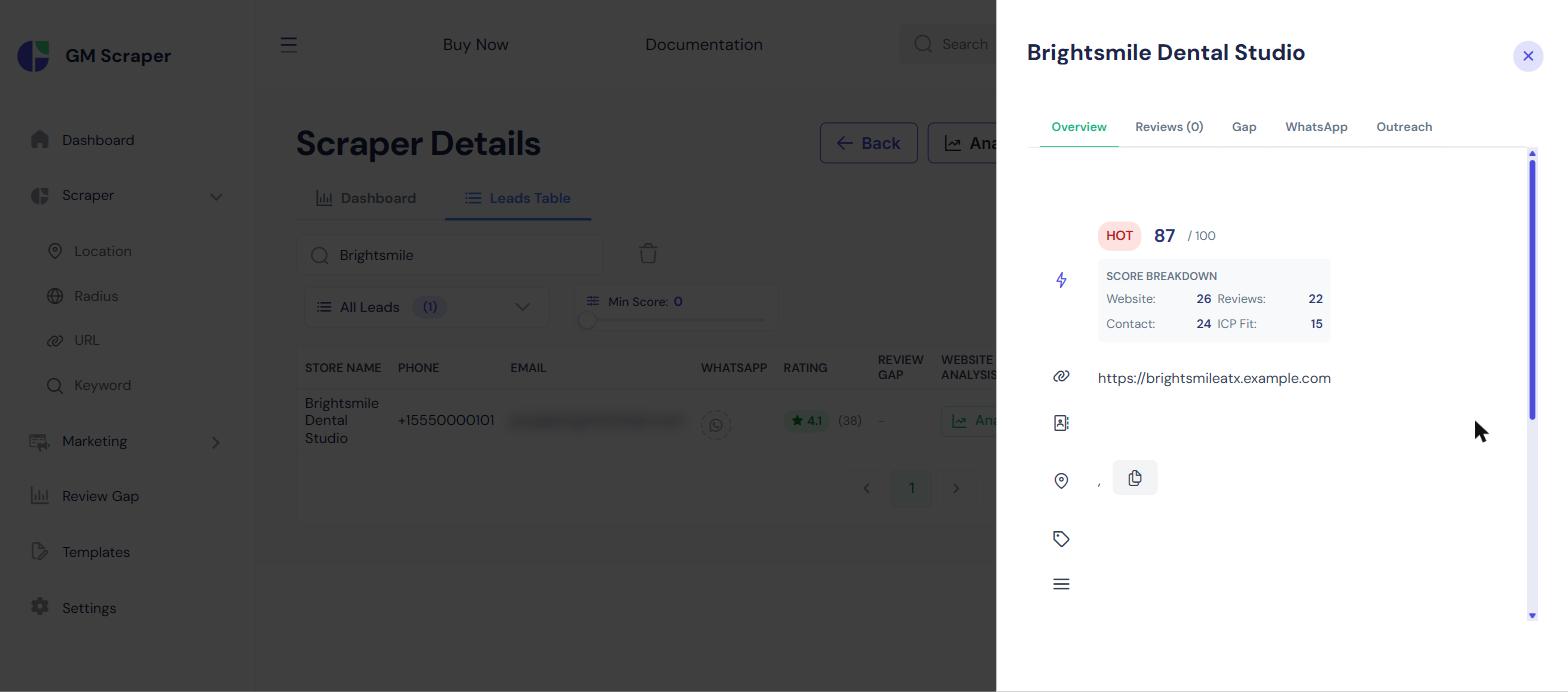
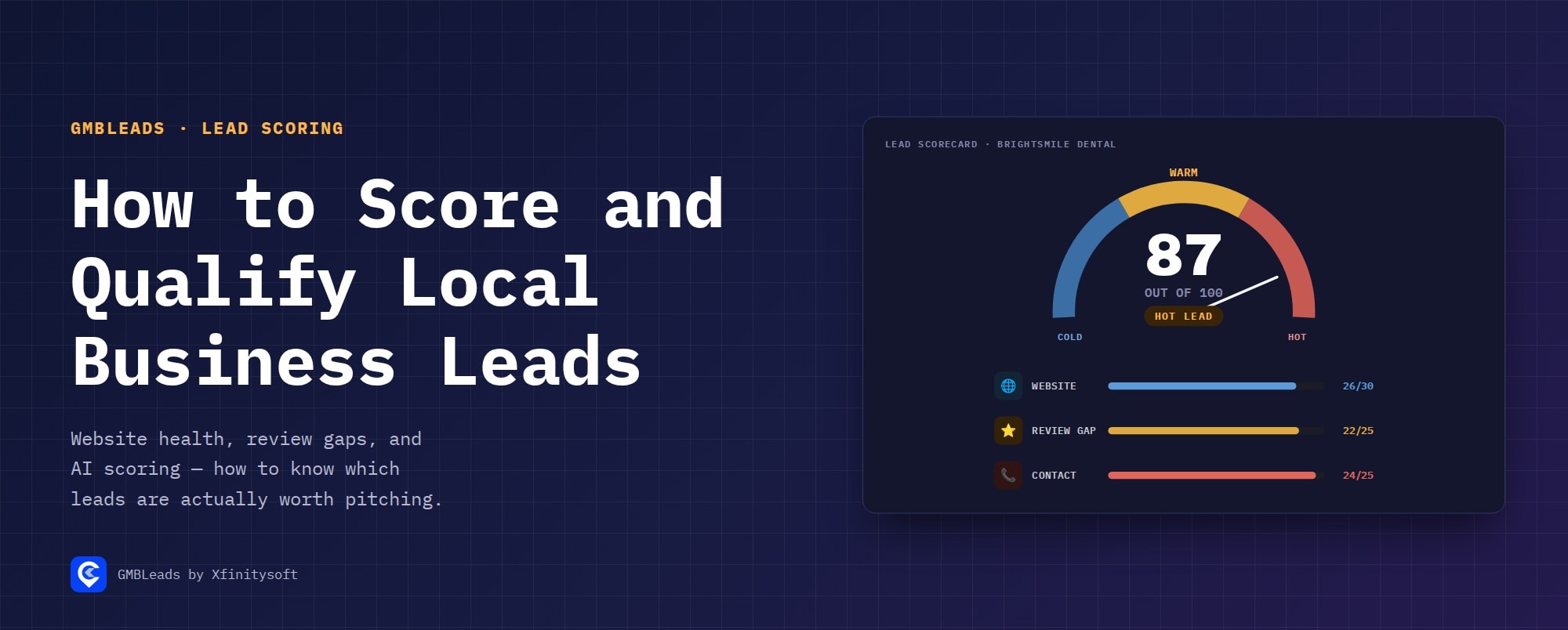
Every lead gets scored 0–100 from website health, review gap versus nearby competitors, and reachability. This is the deepest step — see the full breakdown in How to Score and Qualify Local Business Leads Automatically.
Step 3 — AI Drafts the Pitch, You Approve It
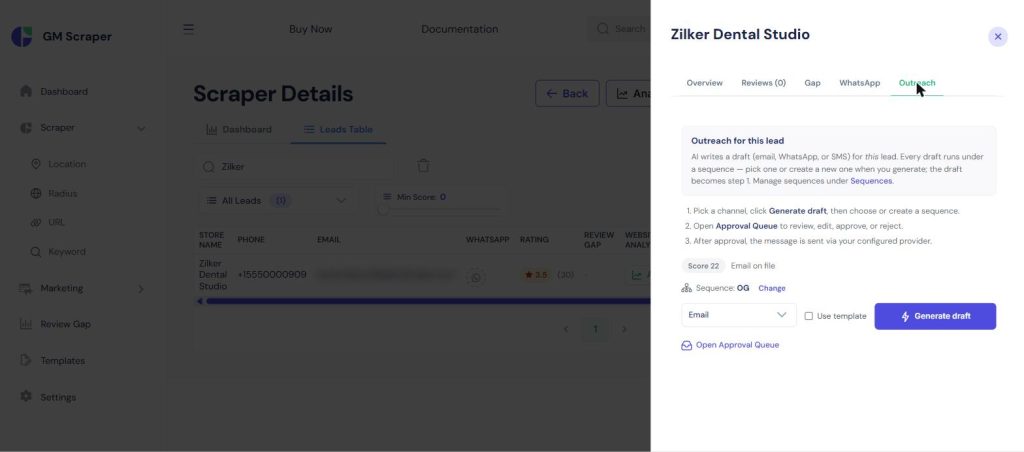
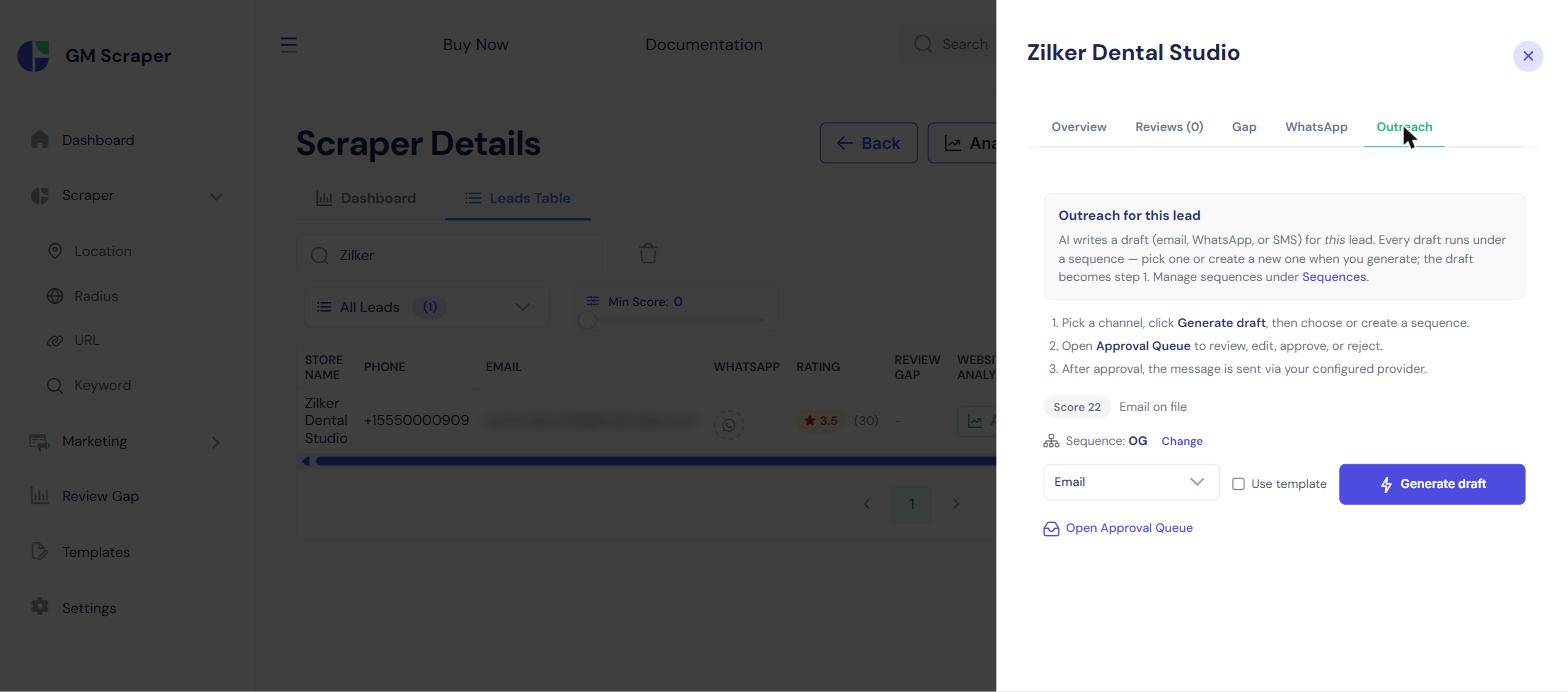
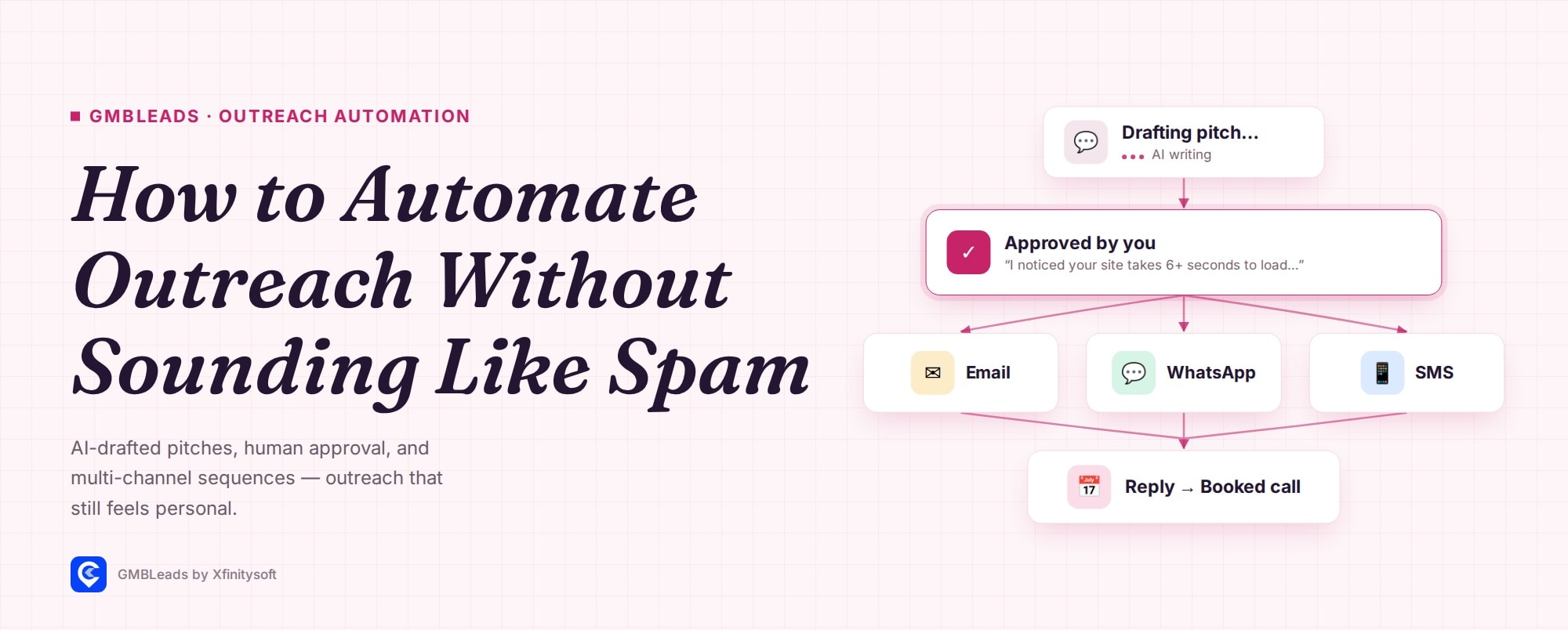
Full detail on drafting, approval, sequencing, and compliance is in How to Automate Local Business Outreach Without Sounding Like Spam. The AI-written first message references the specific issue found in step 2, and nothing sends until a human approves it.
Step 4 — Replies Sort Themselves, Booking Happens Automatically
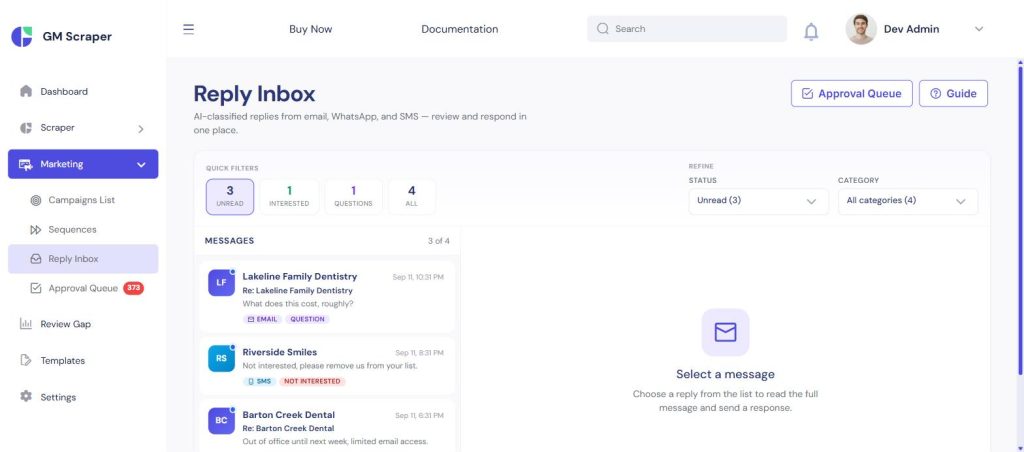
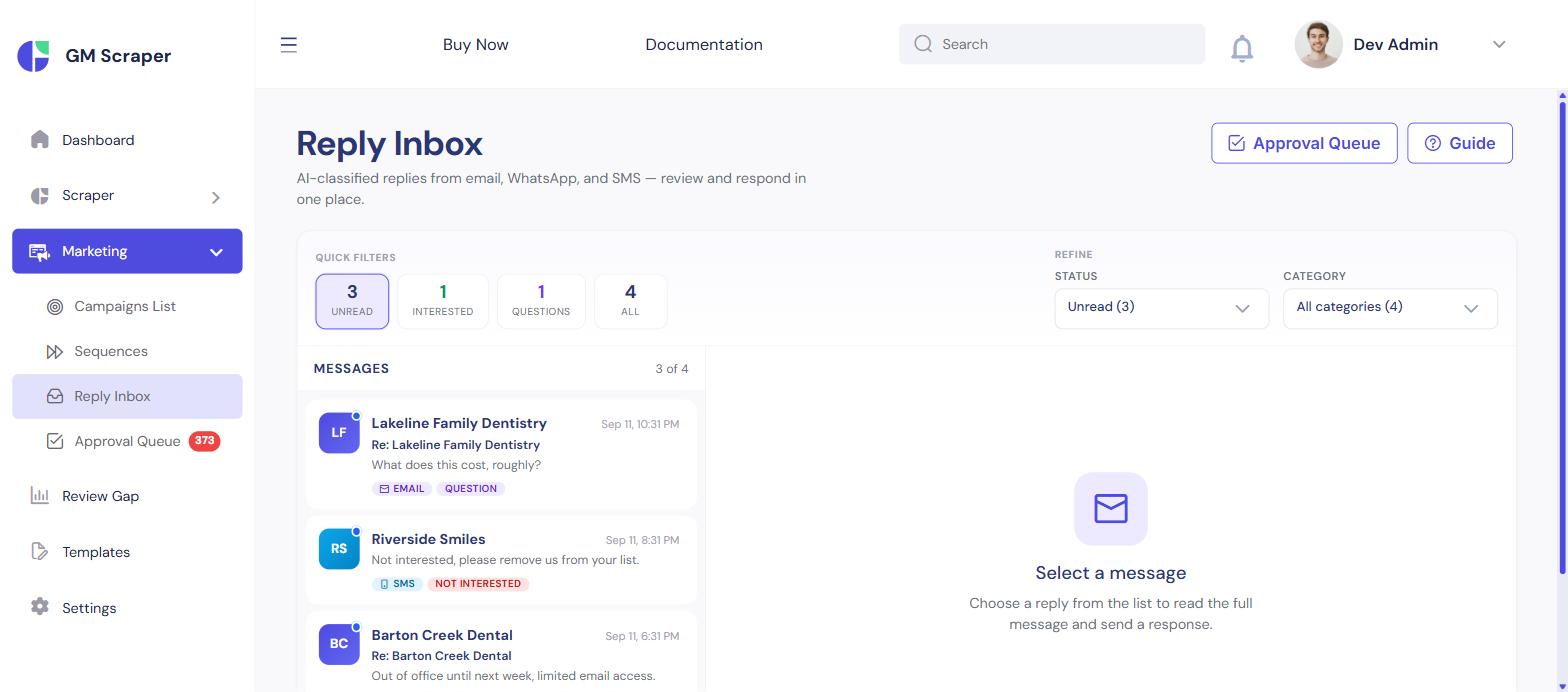
Replies get auto-classified so you’re checking one filtered view, not a raw inbox — and a booking link appends itself to the conversation the moment a lead is ready.
One Dashboard for the Whole Pipeline
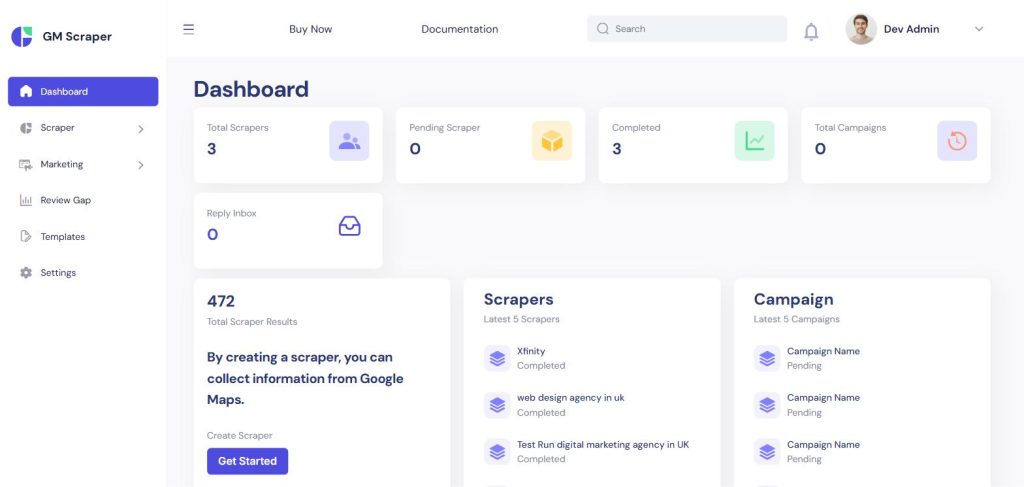
Scrape counts, pending approvals, and reply activity live in one place — running this for a client means checking one screen, not stitching together a scraper, a spreadsheet, a copywriter, and an email tool.
Who This Workflow Is For
- Local SEO consultants and agencies who need a steady pipeline of businesses with a real, provable reason to need their services
- Freelancers and small agencies reselling lead generation to other businesses
- Anyone doing outbound to local businesses tired of a pitch that could’ve been sent to anyone
Where GMBLeads Fits
Everything above is GMBLeads — a one-time purchase run on your own server, not a monthly seat license. Already have a CRM? Export any lead list to CSV, or keep everything in Upping CRM if you’d rather manage the relationship somewhere self-hosted too.
How It Works, Step by Step
Scrape the right businesses
Run a location, radius, link, or keyword-list search targeted at one niche and one city.
Score and qualify automatically
Every lead gets a 0–100 score from website health, review gap, and reachability.
Let AI draft the pitch, then approve it
The draft names the specific problem found; nothing sends without your review.
Follow up and track replies automatically
Sequences handle follow-up across channels; replies sort themselves.


Leave a Comment